


Zutobi: Permit & Driving Prep
4.63.83K Reviews
App Specs
- Version
- 4.5.79
- Updated On
- License
- Free
- Downloads
- 1,000,000+
- Developer
- Zutobi
- Categories
- Education
- Platform
- Android, iOS
Screenshots
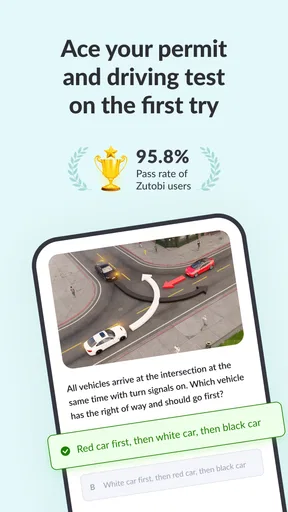
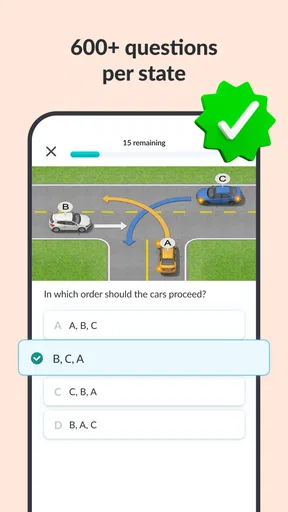
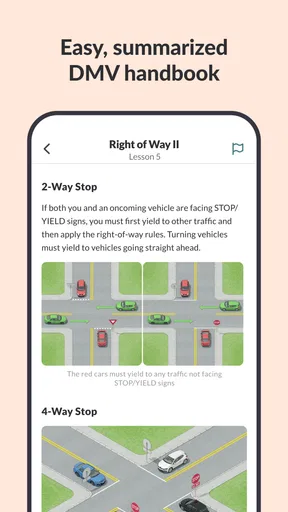
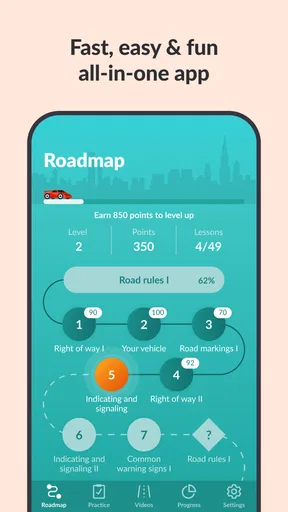
 Analysis by AppCompare
When several people in a household are preparing for a permit test, study time can quickly turn into a mix of borrowed phones, repeated questions, and advice from whoever last drove. I like the idea of having a dedicated learning app in that routine: it gives a new driver a place to review road rules between lessons, while a parent or another experienced driver can help talk through confusing situations. Zutobi: Permit & Driving Prep is an education app from Zutobi built around permit-test preparation and driving knowledge, and it is most useful when learners treat it as a study aid rather than a replacement for supervised practice or official materials.
A shared phone can support a study routine
A realistic use case is a teenager studying at the kitchen table while a parent is nearby to discuss a question that feels abstract on screen. The learner can work through a short lesson, then explain why a particular choice makes sense. That small step matters: saying the rule aloud can reveal whether someone understands it or has only recognized a familiar answer.
On a household device, I would keep each person’s study time distinct instead of passing the phone back and forth in the middle of a session. Progress indicators and goals are most useful when they reflect one learner’s effort; mixing several people’s activity could make them less meaningful. I would also avoid assuming that an app’s progress view automatically provides separate household profiles. If more than one person plans to use it, check how the current app handles a change of learner before relying on saved progress.
This setup suits families who want a low-pressure way to make permit study part of ordinary downtime. It is less suitable when everyone expects the app to manage a shared learning plan or coordinate lessons for them. A simple household routine—a learner studies independently, then brings one uncertain topic to an adult—can work without needing to turn the app into a family-management tool.
Set boundaries before study begins
Because a permit course can involve repeated sessions, it helps to agree on who is using the device and when, particularly if it is also used for school, work, or entertainment. I would let the learner handle the answers rather than having an adult complete questions on their behalf. The point is not to produce a better-looking progress record; it is to find out what the learner actually knows.
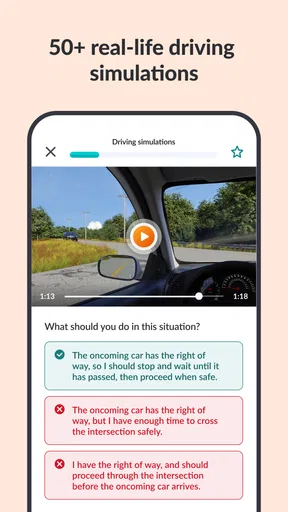
It is also worth separating app study from real driving practice. A correct response to a scenario does not demonstrate that someone can judge distance, notice a hazard in time, or make a safe decision behind the wheel. Those skills need appropriate instruction and supervised practice. The app can give a family useful topics to discuss, but I would not use a quiz result as permission to skip a lesson or relax supervision.
If the phone belongs to a parent, decide whether the learner should use it only during a study window or keep it available for short independent reviews. If a learner has their own device, they may find it easier to build a personal routine. Either way, the most practical boundary is clear: use the app to prepare and review, and follow the relevant local rules and guidance for actual driving.
Worth Reading Before You Choose

EA SPORTS FC Mobile 26 Is a Bigger Football Game, but It Takes Time

Flipboard Shows What News Apps Must Do Beyond the Feed

Switching to Android Auto Means Rethinking Your Driving Routine

Google Calendar Makes a Crowded Week Easier to Manage

Ludo King Makes the Most of the Minutes Between Plans

Baby Panda World Brings Quick Play to Modern Phones, but Its Game Library Feels Busy
How the lessons work in everyday study
The strongest household use is not a long group session. It is a brief solo review followed by a conversation about one tricky point. For example, before a supervised drive, a learner might revisit a rule that came up in a lesson, then ask the accompanying adult how it applies to the route they are about to take. The adult can explain the real-world context without turning every drive into a test.
That workflow also helps avoid a common study trap: tapping through questions until the answers feel familiar. When a learner gets something wrong, pause and explain the reasoning before moving on. Later, revisit the topic without looking at the earlier answer. This is a useful way to check whether the rule has stuck, rather than simply whether the screen looks recognizable.
Getting Started with Zutobi
First things first, downloading Zutobi: Permit & Driving Prep from the app store is a breeze. Once you've got it on your phone, the initial setup is super intuitive. You just enter your state, and boom, you're ready to start learning. The app is tailored to the specific driving rules and regulations of your area, which is a massive plus.
Engaging and Interactive Content
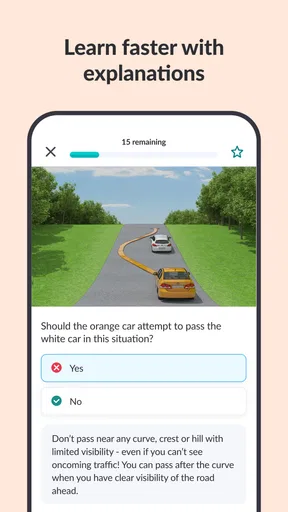
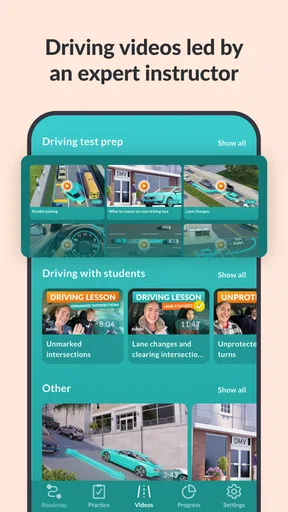
So, what's it like under the hood? Zutobi is packed with interactive lessons that make learning the rules of the road feel less like a chore and more like a game. The lessons are short, sweet, and to the point, with a mix of text, images, and quizzes that keep you engaged. No more snooze-fest study sessions!
The quizzes are a standout feature. They’re not just your run-of-the-mill multiple-choice questions. Zutobi shakes things up with scenario-based questions that mimic real-life driving situations. It’s a great way to get your brain thinking like a driver, rather than just memorizing facts.
Making progress without turning it into a competition
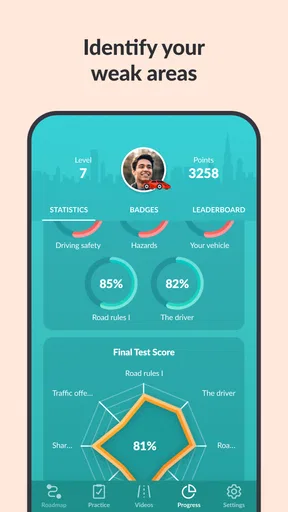
In a household, progress tracking can encourage consistency, but I would use it as a private guide rather than a scorecard. Comparing siblings or friends can make a learner rush through questions just to appear ahead. A better approach is to ask what topic felt difficult and choose the next study session around that gap. The goal is confident understanding, not a race to finish.
For a learner who struggles to study without a deadline, weekly goals can give sessions a useful shape. For someone who already feels anxious about the test, a rigid target may add pressure instead. I would start with a manageable routine and adjust it based on whether the learner is retaining the material. Short, focused reviews are more useful than a long session where attention has faded.
Progress Tracking and Motivation
Another cool aspect of Zutobi is its progress tracking. You can see how you’re doing at a glance, which is super motivating. The app breaks down your progress into neat little sections, so you know exactly where you need to focus. Plus, there are fun badges and achievements to unlock. It’s like getting a gold star for adulting!
What I really dig is the weekly goals feature. It helps keep you on track without feeling overwhelmed. You can set a goal for how much you want to study each week, and the app gently nudges you to keep up with it. It’s like having a personal driving coach right in your pocket.
Coordinating study with parents and instructors
The app is easiest to fit into a household when everyone knows what it is—and what it is not—being used for. A parent can ask the learner to bring one question to the next conversation, while an instructor can help connect a rule to a practical example. That division keeps the app focused on review instead of making it responsible for teaching every part of driving.
One non-obvious tip is to use mistakes as conversation prompts rather than immediately giving the right answer. Ask the learner what detail in the scenario changed their decision, then compare that reasoning with the rule they are studying. This can uncover a misunderstanding that a correct answer on a later attempt might hide. It also makes shared study more useful without requiring an adult to sit beside the learner for every lesson.
For people who study with friends, the social element may add a bit of encouragement, but it should not decide whose preparation is better. Learners can have different weak spots and different schedules. I would keep the focus on each person’s own understanding, and avoid sharing account access or assuming that community interactions are private or suitable for every age without checking the app’s current settings.
Community and Support
Zutobi also has a community aspect, which is pretty neat. You can connect with other learners, share tips, and even tackle some friendly competition. It’s like being part of a virtual study group, without having to leave your couch.
If you ever get stuck, Zutobi’s support team is just a message away. They’re responsive and genuinely helpful, which is reassuring when you’re trying to wrap your head around tricky driving rules.
Who will get the most from it
I would recommend considering this app if you learn well from short explanations, visual prompts, and repeated practice questions. It can be particularly handy for someone who wants to study in spare moments rather than carry a book everywhere, or for a learner who needs a clearer routine before a permit test. Zutobi has a 4.6 average from around 37,000 ratings, and it has passed one million installs, so it is already a familiar choice for many learners.
It is not the best fit for someone who wants only an official handbook, dislikes studying on a phone, or needs a live instructor to explain each point. The app should not be the sole authority when a rule is unclear: learners should check the relevant local driver materials and ask a qualified instructor or responsible adult. Compared with a printed manual, an app can make practice more interactive and easier to fit into spare time; compared with in-person instruction, it cannot observe the learner’s driving or correct their behavior on the road.
It is free to start, with in-app purchases ranging from $0.99 to $99.99 per item, so I would check what is included before buying anything and make sure the learner understands that paid options may appear. The age rating is Everyone 10+, which is useful context for a household deciding whether it is appropriate for a younger learner. Still, an age label is not a substitute for a parent’s own judgment about device use, social features, and the learner’s readiness.
Age, trust, and practical expectations
For a young learner, I would introduce the app as a study resource with boundaries, not as a shortcut to a license. Adults can help by asking the learner to explain a decision in their own words, while resisting the urge to turn each session into a performance review. That keeps trust intact and makes it more likely the learner will mention topics they do not understand.
If the learner is close to a test, avoid treating a good run of quiz answers as a guarantee. Familiar questions can create confidence without covering every local requirement, and the learner still needs to prepare through the appropriate official channels. Conversely, someone who is just beginning can use the app to build vocabulary and recognize common scenarios before practice, while accepting that early confusion is part of learning.
The app is listed for Android with a minimum operating system requirement of 7.0, and its current version is 4.5.57. That makes compatibility worth checking on an older household phone before planning a shared routine. The release date was June 22, 2018; more important for a prospective user is whether the present version runs well on the device and offers the study experience they need.
Wrapping Up
All in all, Zutobi: Permit & Driving Prep is a fantastic tool for anyone gearing up for their driving test. It's engaging, easy to use, and packed with features that make learning fun and effective. Whether you’re a total newbie or just brushing up on your skills, Zutobi has got you covered.
So, if you’re ready to hit the road and ace that test, why not give Zutobi a whirl? It might just be the co-pilot you need on your journey to becoming a licensed driver!
My household verdict
For a family, the best reason to try Zutobi is that it gives a learner something concrete to do between conversations and supervised practice. I would keep one person’s study progress tied to that person, use questions to start calm discussions, and verify important details with local official guidance. That approach makes the app a useful companion without asking it to take the place of a parent, instructor, or real time behind the wheel.
If your household wants a flexible way to review permit topics and your learner enjoys quiz-based study, I think it is worth trying. If you need guaranteed account separation, a fully offline handbook, or instruction tailored in real time to a learner’s driving, choose a different resource for that need and use this app only if it complements it. The key is to let it support preparation, not define readiness.
Pros
- Comprehensive practice tests.
- User-friendly interface.
- Interactive learning modules.
- Offline access available.
- Regular content updates.
Cons
- Limited free content.
- Ads in free version.
- No live instructor support.
- Occasional app crashes.
- Subscription required for full access.
FAQs for Zutobi: Permit & Driving Prep
What features does Zutobi offer for driving test preparation?
Zutobi provides a comprehensive learning experience with features such as practice tests, detailed explanations, and progress tracking. It includes state-specific questions for the U.S., ensuring relevance wherever you are. The app uses gamification, making learning engaging with points, levels, and achievements, helping users stay motivated and on track.
How does Zutobi ensure the accuracy of its practice questions?
Zutobi collaborates with driving instructors and experts to curate and regularly update its question database. This ensures that questions reflect the current rules and regulations of each state. Users can trust that they are studying with material that is relevant and up-to-date for their specific driving test.
Is Zutobi suitable for all levels of driving knowledge?
Yes, Zutobi is designed for beginners and those with some driving knowledge. The app provides a structured learning path, starting from basics and gradually moving to more complex topics. Whether you're new to driving or refreshing your knowledge, Zutobi caters to all learning stages effectively.
Does Zutobi offer a free version or trial?
Zutobi offers a free version with limited features, allowing users to explore the app's functionality. For full access, a subscription is required, which unlocks all lessons, practice tests, and additional resources. This model allows users to evaluate the app before committing to a purchase.
Can I use Zutobi offline, or do I need an internet connection?
Zutobi requires an internet connection for initial downloads and updates, ensuring users have the latest material. However, once content is downloaded, users can access certain features offline, making it convenient for studying on the go without needing continuous internet access.


